How to Backtest a 0DTE Iron Condor on SPX
A step-by-step walkthrough for backtesting a 0DTE SPX iron condor on 1-minute data, from picking strikes by delta to intra-minute stops and reading results.
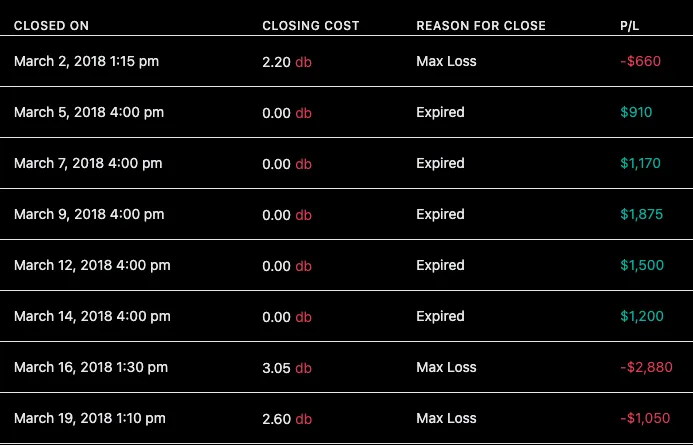
Zero-day-to-expiration (0DTE) iron condors on SPX have become one of the most popular trades in retail options. The pitch is seductive: define your risk, collect premium, and be flat by the close. But “popular” and “profitable for you” are not the same thing. Testing strikes, times and stops against history shows how they held up in the past, before any of it touches your account.
This guide walks through backtesting a 0DTE SPX iron condor in Option Omega, end to end. The goal is a repeatable process for testing a short-premium idea before trading it.
Why 0DTE needs real data. On expiration day, an iron condor’s P&L can swing from comfortable to catastrophic in minutes. Daily-close data hides all of that. Option Omega tests on actual recorded 1-minute market bid/ask going back to 2013, and for SPX/SPY 0DTE it can check stops on per-second mid prices. That resolution matters: a stop checked once a minute can miss what happened inside the minute.
What you’ll need
- An Option Omega plan with backtesting (or a free trial)
- About ten minutes
- A hypothesis worth testing. For this walkthrough: “A delta-10 SPX iron condor entered mid-morning, with a 25% profit target and a 2x stop, held up across the test period.”
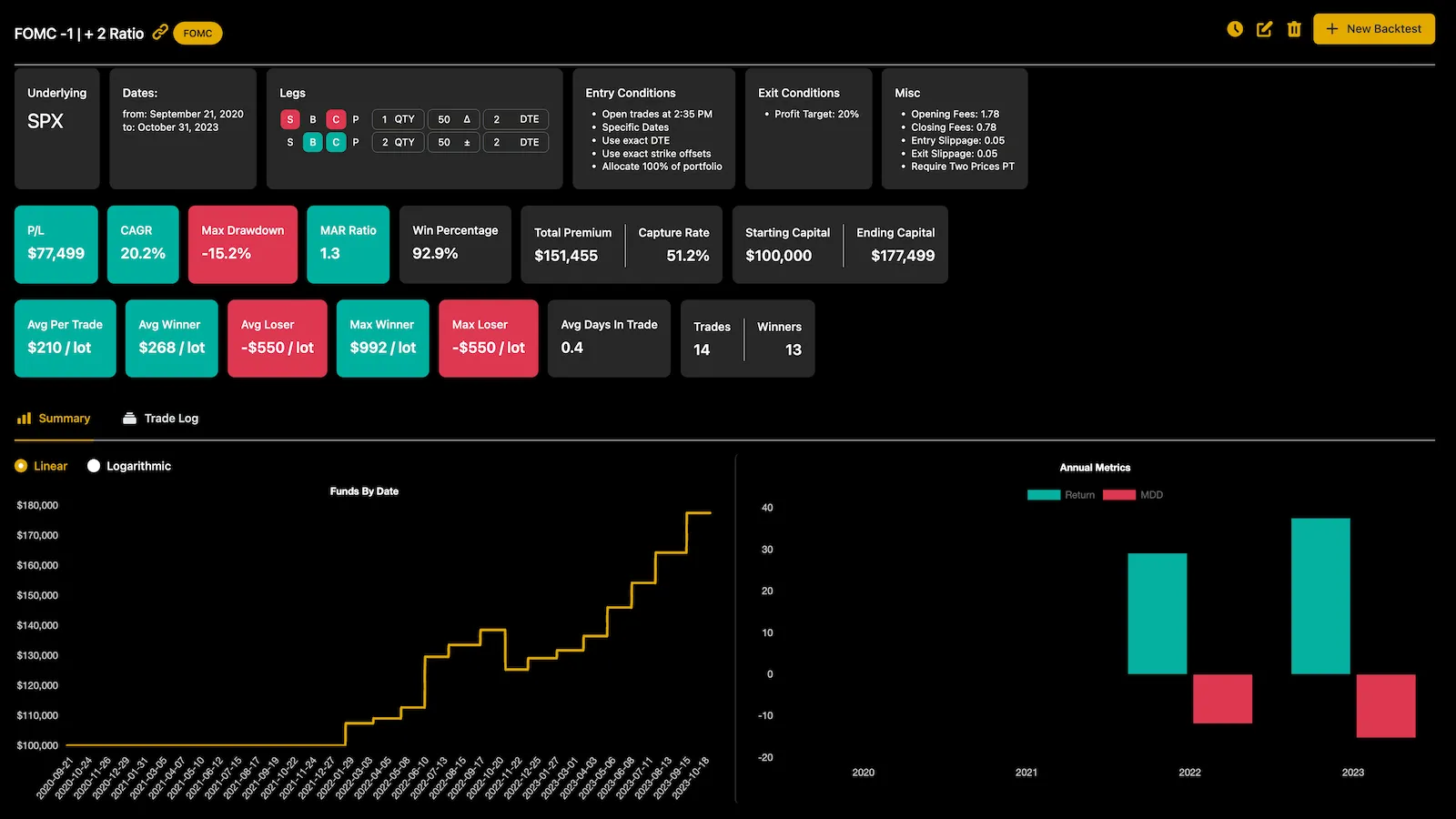
Step 1 — Pick SPX and set it to 0DTE
Create a new backtest and choose SPX as your underlying. SPX is cash-settled, has no early-assignment risk, and gets favorable Section 1256 tax treatment, which is why it’s the workhorse for this trade.
Set your DTE to 0. In Option Omega, DTE is based on the calendar, so an entry that requires 0 DTE will only fire on days SPX actually has a same-day expiration. (Heads up: SPX backtests use the standard PM-settled contracts, not the AM-settled morning expiries.)
Step 2 — Build the iron condor
An iron condor is four legs: a short put spread below the market and a short call spread above it. Add them with the Add Leg tool, or start from the built-in Iron Condor template and adjust.
The cleanest way to keep the structure symmetric across thousands of test days is to select your short strikes by delta and your long strikes by a width offset:
- Short put: −0.10 delta
- Long put: 25 points below the short put
- Short call: +0.10 delta
- Long call: 25 points above the short call
Selecting by delta (instead of a fixed strike) means the test adapts to volatility: your short strikes sit at roughly the same delta whether the VIX is 12 or 40. That mirrors picking strikes by delta in a live trade.
Step 3 — Set your entry rules
This is where a backtest earns its keep. A few filters worth testing:
- Entry time. Set a single entry mid-morning. The open is noisy, and many 0DTE traders wait for the initial range to establish. Try a few times and compare. You can add up to 20 additional intraday entry times to a single test, which is how you backtest a multiple entry iron condor (MEIC).
- VIX gate. Add a minimum and/or maximum VIX condition. A condor that does well in a sleepy tape can hand it all back in a spike, and gating on VIX lets you see that trade-off instead of guessing at it.
- Premium floor. Require a minimum credit so you’re not selling a condor for pennies on an ultra-quiet day.
Step 4 — Define your exits
Exits matter a lot on 0DTE. Configure:
- Profit target: 25% of the credit received.
- Stop loss: 2x the credit (a “2x stop”). You can express stops as a percentage, a dollar amount, or a closing order.
- Intra-minute stop loss (IMSL): turn this on. For SPX/SPY 0DTE, IMSL evaluates your stop on per-second mid prices instead of once a minute, which is closer to how a real stop behaves on a fast-moving expiration day.
- Time exit: close any survivors a few minutes before the close so nothing rides into settlement.
Step 5 — Run it and see how it behaved
Add slippage and commissions under the miscellaneous settings, even a small amount, because 0DTE condors trade four legs in and (sometimes) four legs out, and the costs add up. Then run the test. Years of 1-minute data crunch in seconds.
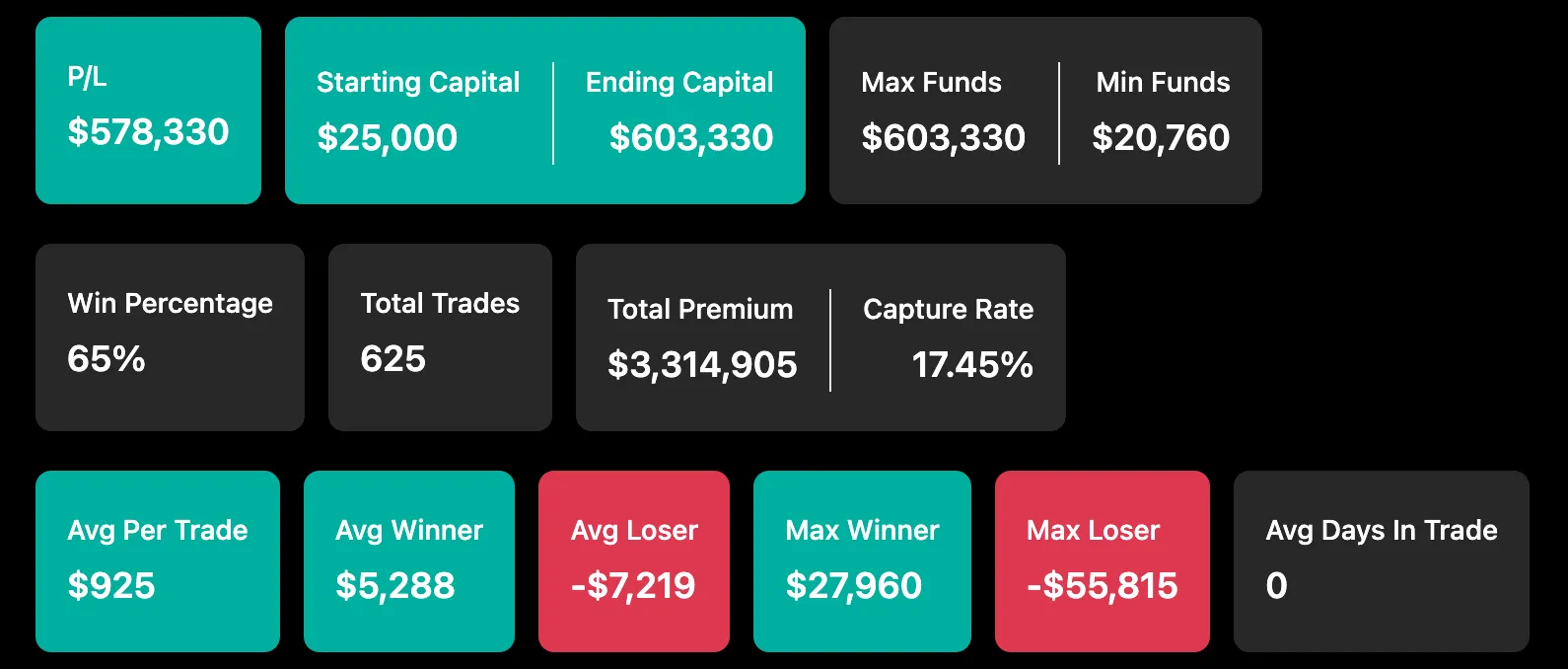
On the results screen, look past the headline P/L to the metrics that describe how the strategy behaved:
- CAGR and Max Drawdown, and the MAR ratio (CAGR ÷ MDD) that ties them together.
- Sharpe and Sortino for risk-adjusted return.
- Win rate and capture rate. Short-premium strategies often win frequently but bleed on the losers, so check the average winner against the average loser, not just the win percentage.
- The annual breakdown. Did results hold up year to year, or is one outlier year carrying the whole curve?
Then open Trade Replay and scrub a few of the worst losing days minute-by-minute, with the underlying and VIX overlaid. It’s one of the most useful habits in backtesting: you can see how a trade went wrong, and whether your stop behaved the way you assumed.
Iterate without fooling yourself
Now change one variable at a time (the entry time, the delta, the stop multiple) and re-run. A few principles to keep you honest:
- Change one thing at a time. If you tweak five settings at once, you won’t know which one mattered.
- Beware the curve-fit. If a strategy only works at exactly −0.09 delta and falls apart at −0.10, that’s a warning sign the result may be fit to noise rather than signal.
- Respect the ugly days. When results look bizarre around dates like the 2018 Volmageddon or the 2020 crash, that’s often real: spreads genuinely blew out. Don’t blacklist your way to a pretty equity curve.
- Test out-of-sample. Find your settings on one stretch of history, then check them on a stretch you didn’t optimize over.
From backtest to live trade
Once a configuration holds up through all of that, you don’t have to rebuild it by hand. In Option Omega you can turn a backtest into a live, automated strategy in a click, and because automation runs on the same engine as the backtester, the same rules carry over to tastytrade, Tradier, Schwab, or TradeStation. Live fills, slippage and timing can still differ from the backtest.
That’s the whole loop: model the idea, backtest it against history, automate the version that held up. Ready to run your first one?