Option Omega Stop-Loss Types: Basic, Per-Leg, Trailing and 1-Second IMSL
How each stop-loss works in the Option Omega backtester, from basic and per-leg stops to trailing stops, 1-second IMSL and two consecutive hits at stop-loss.
A 100% stop on a $4.90 credit should exit at $9.80. In the Option Omega backtester, it exited at $9.90. That is not a math error. It is how stops work on 1-minute data, and it is the first of several details that change what a stop-loss actually does in a backtest.
Matt built these examples to show what each stop setting in the backtester does and doesn’t do: basic, fixed-dollar, per-leg, trailing and the 1-second intermittent stop-loss (IMSL), plus the settings people mix up with stops, like two consecutive hits at stop-loss and underlying price exits.
A note before starting: the backtests in the video are built only to show how each feature behaves. They leave out fees, commissions and slippage on purpose so the stop behavior is easy to see. They are not meant to be robust backtests.
The starting point: no stop-loss
The first example is a 10-wide call credit spread with no stop, held to expiration. It is the kind of backtest where you may want a stop-loss, so each section below adds one.
All prices in these examples use the derived mid price.
Basic stop-loss (1-minute data)
Setting a 100% stop on a $4.90 credit, you would expect an exit at $9.80. The backtest shows $9.90.
The reason is the data. A basic stop-loss is checked on 1-minute data. At the minute the stop triggered, the price was not exactly 100% of the credit. Most of the time, the price at a 1-minute mark will not be an exact match for your stop-loss or profit target percentage, so expect small differences.
Fixed-dollar stop-loss
A common mistake: wanting a $4 stop and typing in $400, because $4 in options terms is $400. In Option Omega, the stop is entered just like a broker order, so a $4 stop is entered as $4. In the example, after fixing that, the trade stopped at exactly a $4 loss, because that is where the data was at that minute.
Per-leg stop-loss
With a $2 stop applied per leg, on one leg only, the backtester watches that single leg. When that leg hits a $2 stop, it closes the entire trade.
That does not mean the spread lost $2. The example was a 10-wide spread in a high-VIX market, so the long leg, only 10 points away, also changed in value. To check it, Matt removed the long leg and ran the test again. With just the short leg, the stop was exactly $2.
| Stop type | What it watches | What happens when hit |
|---|---|---|
| Basic (percent) | Whole trade, 1-minute data | Closes the trade at the 1-minute price |
| Fixed dollar | Whole trade, entered like a broker order ($4, not $400) | Closes the trade |
| Per-leg | The selected leg only | Closes the entire trade |
| Trailing | Whole trade, from its best price | Closes the trade |
| IMSL | Whole trade, 1-second data (0DTE, SPX and SPY) | Closes the trade at the second it was hit |
Trailing stop-loss
The tooltip explains the rule, and Matt pointed out that the tooltips are there to use whenever you’re unsure:
- With a minimum profit target: the stop starts trailing only after that profit target is reached.
- Without one: the stop trails as soon as the trade opens.
In the example, with no minimum profit target, the trade opened shortly after the open at $4.90 and drifted down to $4.45. Since it was a credit trade, a lower value is a gain, so the trailing stop was calculated from the lower $4.45 price instead of $4.90. The trade replay shows each step. Again, the stop was not exactly $2.
Cap Losses (a quick preview)
Turning on Cap Losses makes that stop exactly $2. Matt was clear about what that means in practice: “Market makers do not cap losses.” Cap Losses is an artificial limit that does not exist in live trading.
Intermittent stop-loss (IMSL): 1-second data
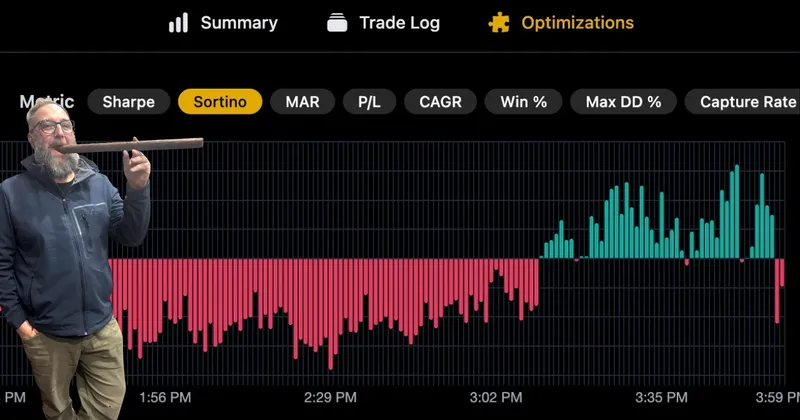
IMSL has been in Option Omega for years and was updated in 2026. At the time of the video, it used 1-second data and was available for 0DTE on SPX and SPY.
The example was a 0DTE trade on Monday, May 4, with a 100% stop. On the default 1-minute check, it looked like a winner. But the chart showed it came very close to the stop in the afternoon.
Turning on Use 0DTE intermittent stop-loss, which notes that it uses 1-second quotes, changed the result. The trade got stopped out, at the same minute Matt had spotted by eye on the chart.
Two notes:
- The chart is still 1-minute. It does not show second-level values, but it still shows roughly when a stop hit.
- Add slippage. Matt said most people run IMSL with a stop-loss slippage value. The right amount depends on the trade. A 1-second stop shows when the stop would have hit, not what a live fill would have been.
With the 2026 update, the team does not recommend using Cap Losses with IMSL. For what changed in that update and how much faster backtests got, see 1-second IMSL data and 10x faster backtesting.
Cap non-opening losses at stop-loss
Under Miscellaneous, there is a setting called Cap non-opening losses at stop-loss. Matt said there is no recommended time to use it. It is a legacy setting.
Some traders use it when testing long-dated trades and add plenty of slippage when they do. But it is an artificial cap on a stop-loss, and the team does not recommend it on 0DTE or at all. It stays in the app for certain edge cases.
Require two consecutive hits at stop-loss
Also under Miscellaneous, where you find the Punisher, a new choice appears once a stop-loss is set: Require two consecutive hits at stop-loss. It is the inverse of the more common Require two consecutive hits at profit target.
The example was a double calendar (DC) backtest that has been around for years, a one-week trade, in a VIX in the low 20s. Longer-dated options, and some shorter ones, show brief moments of illiquidity in their pricing. On the chart these look like “heartbeat spikes,” including one that dropped about $1.50 in the span of a minute. Checking the VIX and the underlying can help show whether a spike was real.
The setting requires the stop condition to be met two minutes in a row before the backtester counts the stop as filled. Traders use it to see whether their backtest would have been stopped out by a brief liquidity spike.
Know the trade-off:
- Two consecutive hits at stop-loss makes a backtest less rigorous, like capping losses.
- Two consecutive hits at profit target makes a backtest more rigorous.
It is not an automation feature that exits you on the second hit. It only exists to test whether a single 1-minute price spike was a moment of illiquidity.
Underlying price exits are not stop-losses
People often call these stops. They are not. Under exit conditions, you can exit on price movement, such as when the put or call is tested or a certain percent out of the money.
In the example, a put got tested. The underlying was above 5,900 when the trade opened and approaching 5,750 when the backtester closed the entire trade.
Two points:
- It is 1-minute data. There is no intra-minute option for underlying price exits. 1-second data only applies to IMSL.
- It can take profits too. Depending on the setup, an underlying exit can also work as a profit-taking condition.
Key takeaways
- Basic and fixed-dollar stops are checked on 1-minute data, so the backtest’s exit price may not match the exact stop amount.
- Enter fixed-dollar stops like a broker order: $4, not $400.
- A per-leg stop closes the whole trade when one leg hits its stop.
- IMSL uses 1-second data for 0DTE on SPX and SPY. Add slippage and skip Cap Losses.
- Cap Losses, cap non-opening losses and two consecutive hits at stop-loss all make a backtest less rigorous. Use them only when you understand why.
- Underlying price exits are exits, not stops, and run on 1-minute data.
Build stops into your own tests. Every stop type above is in the Option Omega backtester. For a full 0DTE example that uses IMSL, see how to backtest a 0DTE iron condor on SPX. New to Option Omega? Start a free trial.
Watch the full video: Option Omega Stop-Losses Explained: Basic, Per-Leg, Trailing & 1-Second IMSL.
Backtest results are hypothetical and do not guarantee future performance. Options trading involves substantial risk.